 Skiff
Screenshots and videos
Skiff by version, newest first. Click an image to open it at full size.
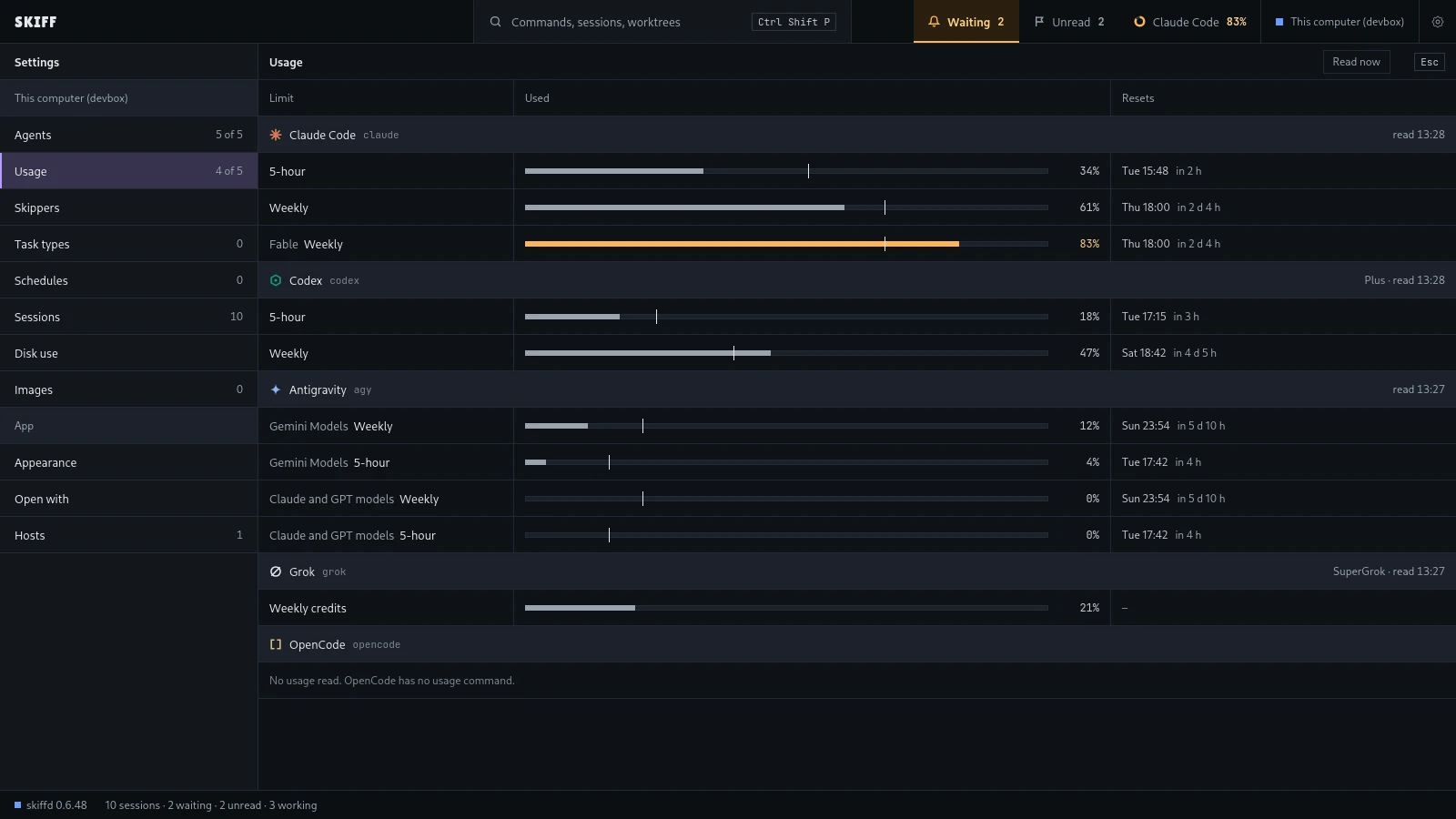
Settings › Usage. One block for each agent, one row for each plan limit: the percent used, a bar with a tick that marks how much of the window has passed, and the reset time. A limit near its cap turns amber, and the top bar shows it too.
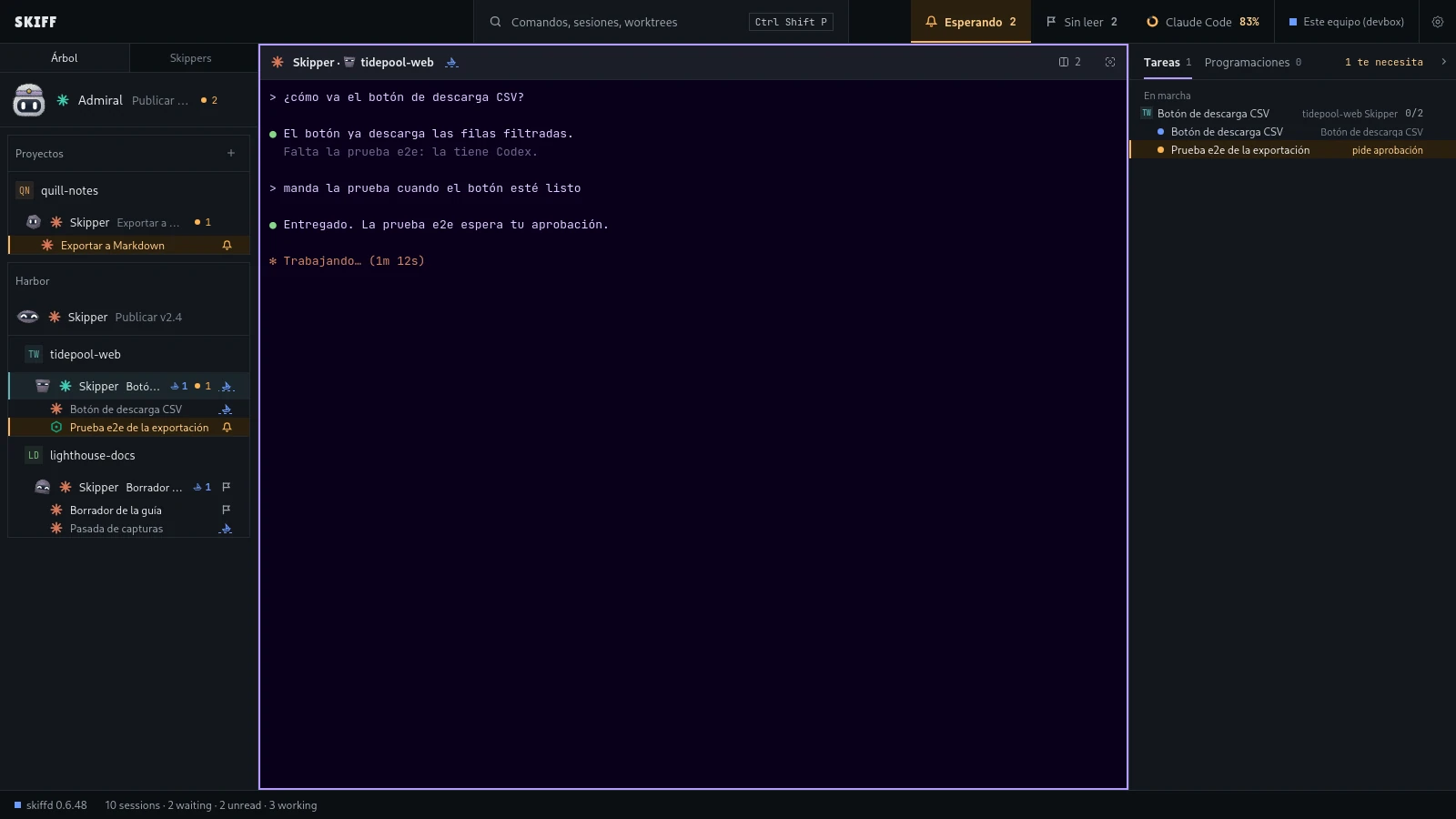
Skiff in Spanish: the tree, a Skipper pane and the Tareas panel. Settings › Appearance › Language sets the language. Auto follows the system, or you can pick English, Español or 简体中文. The change shows the next time the window opens.
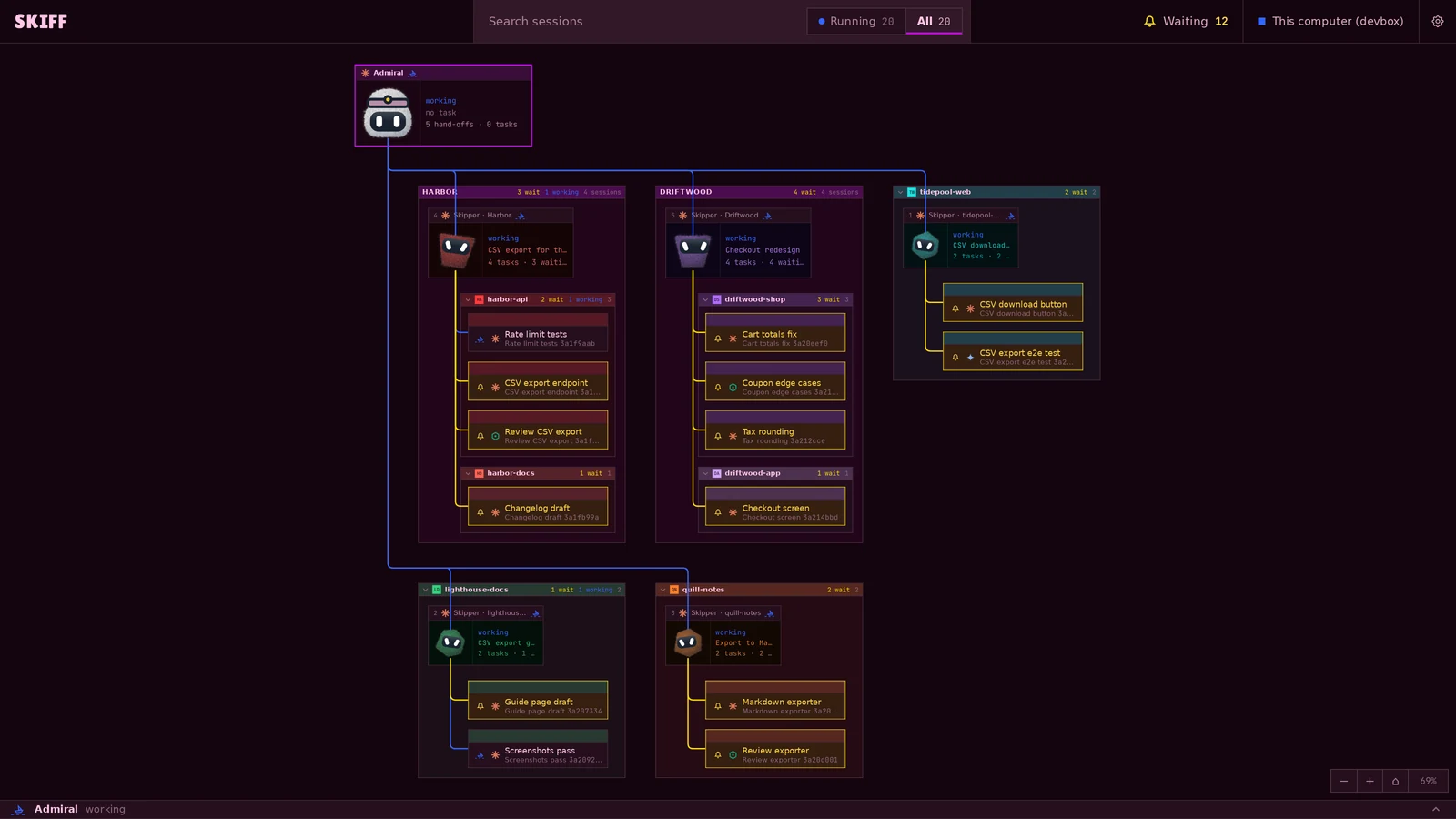
Mission control. Admiral is at the top left. Each fleet and project is a tree in a fixed grid, and each Skipper has a window with its face. The lines are solid and take the state color. Amber marks the agents that wait for you.
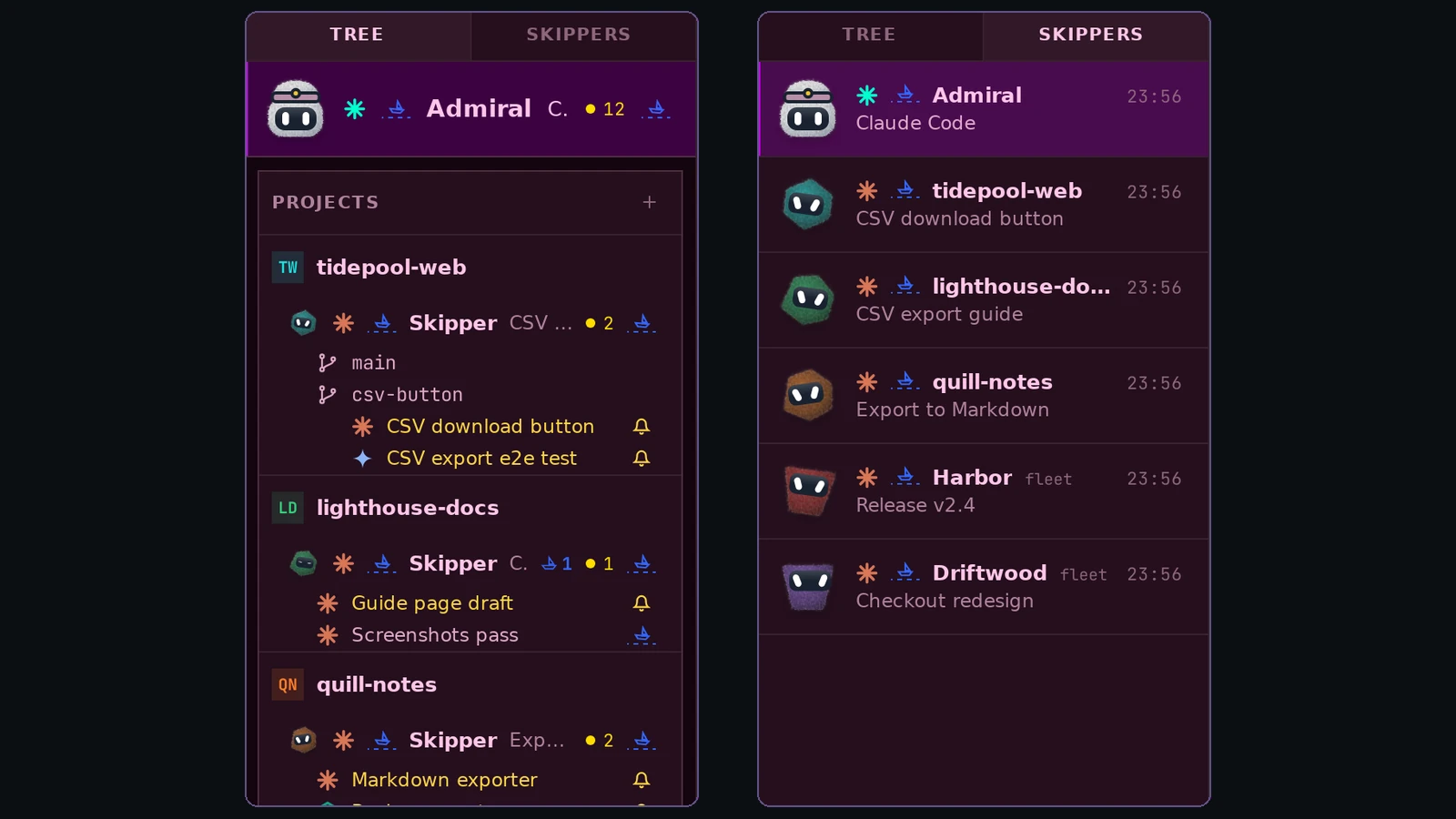
The side panel in its two views. The tree puts projects in boxes, with each Skipper's face at the head of its row. The Skippers view has one row per Skipper, with its latest task and the time. Ctrl+Shift+Alt+S switches between them.
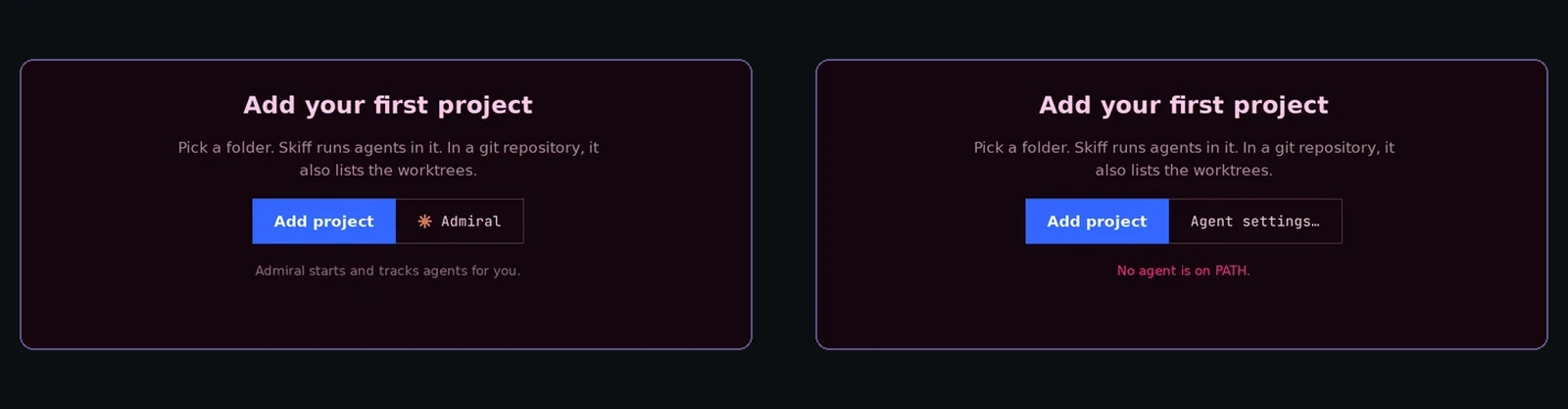
First start, with no project. With an agent installed, the Admiral button starts the Skiff agent, which needs no project. With no agent on the PATH, it becomes Agent settings and the window says why.
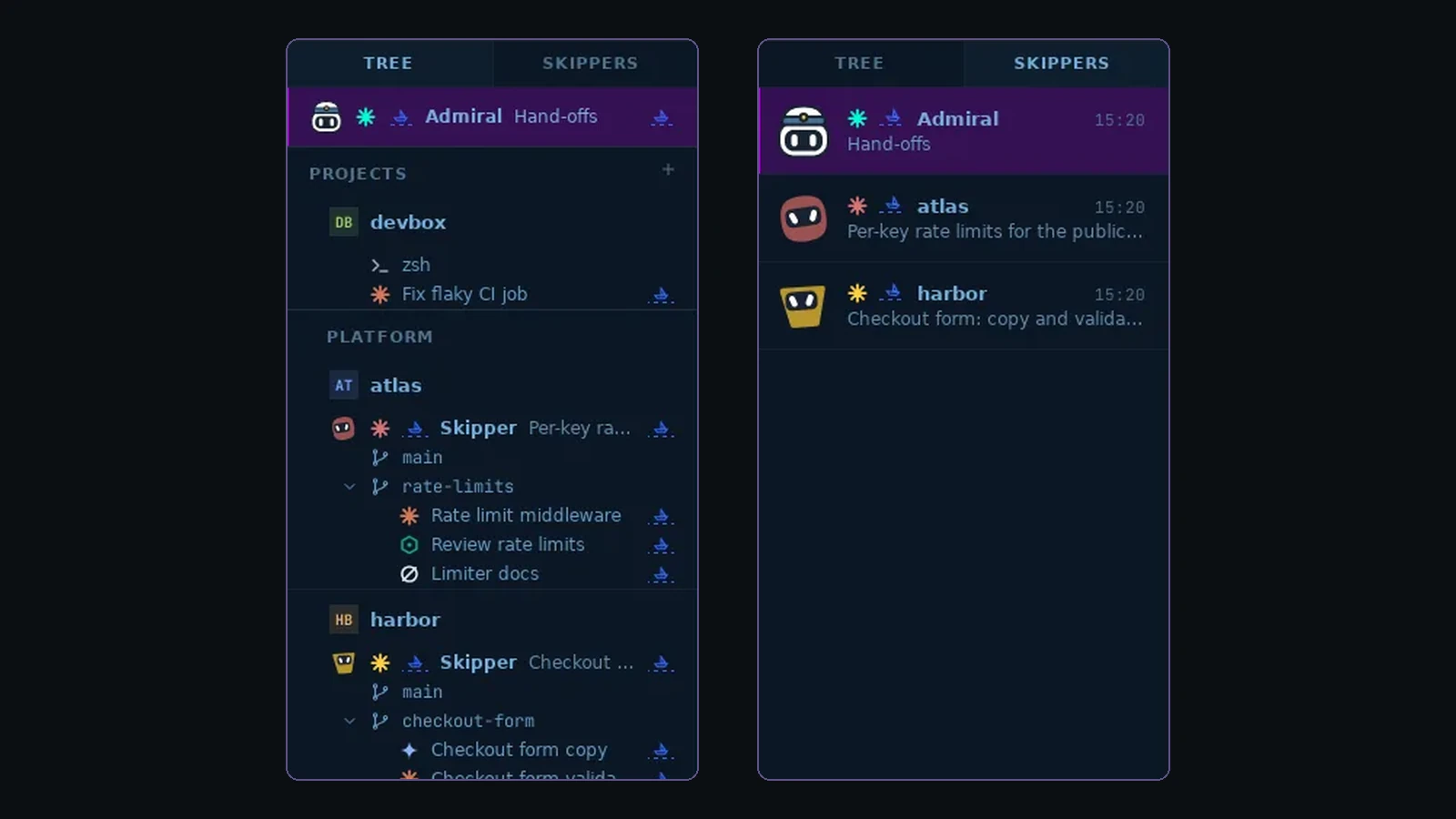
The Skippers list beside the tree. Each Skipper has its own face, and Admiral wears the Skiff mascot's head. Ctrl+Shift+L switches between them.
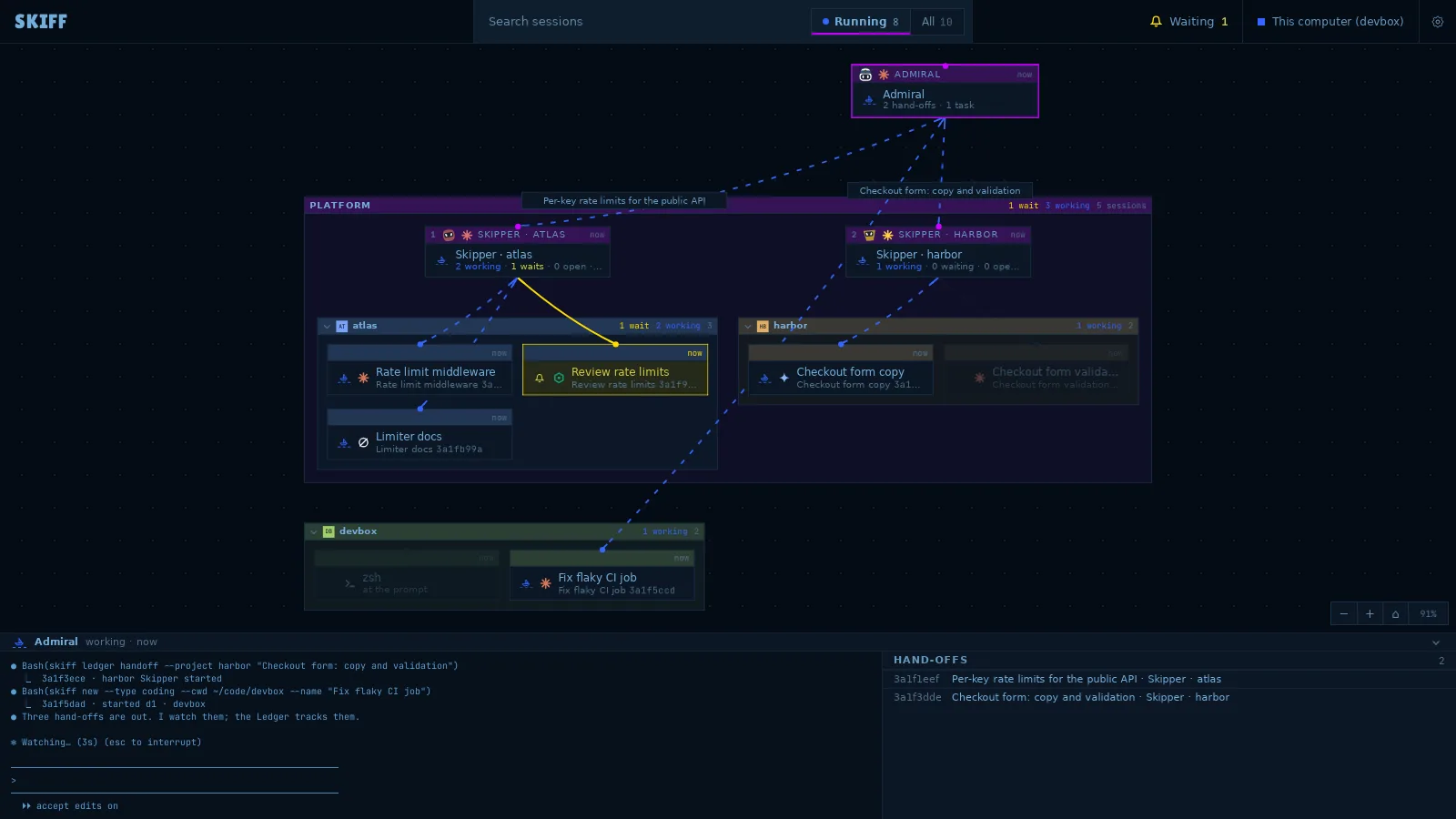
Mission control. The Admiral and Skipper cards show their faces. A string runs from each owner to its tasks.
Admiral hands three tasks to the Skippers. Mission control shows the whole crew as a graph: the strings follow the ledger.
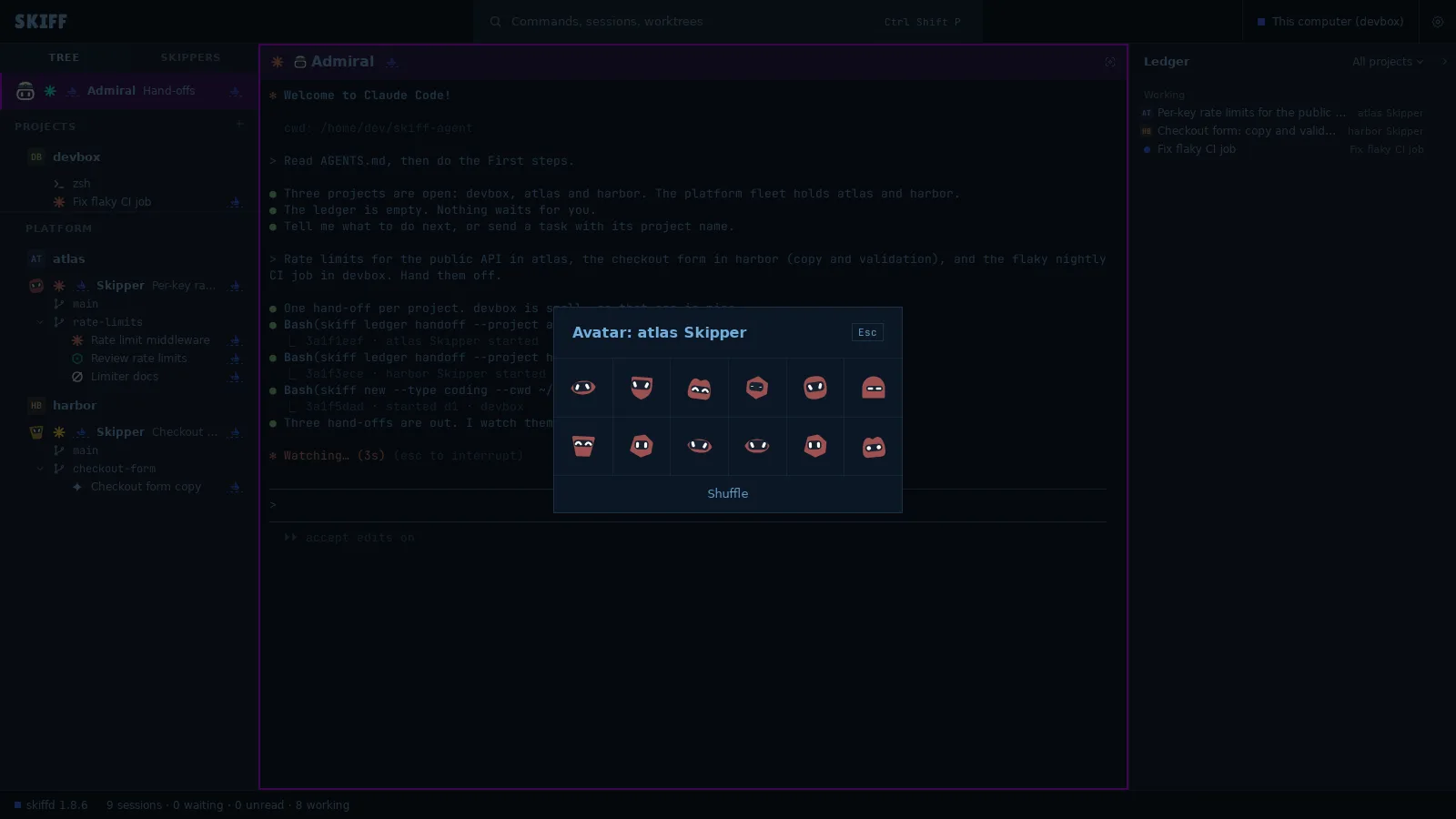
Avatar… on a Skipper's menu. Click one of twelve faces to set it. Shuffle shows twelve more.
Skipper avatars, new in v1.8.6. Every Skipper gets a face. Click a face to set it, or click Shuffle to see more. The face shows in the tree, in the Skippers list (Ctrl+Shift+L) and on the Mission control cards (Ctrl+Shift+A).
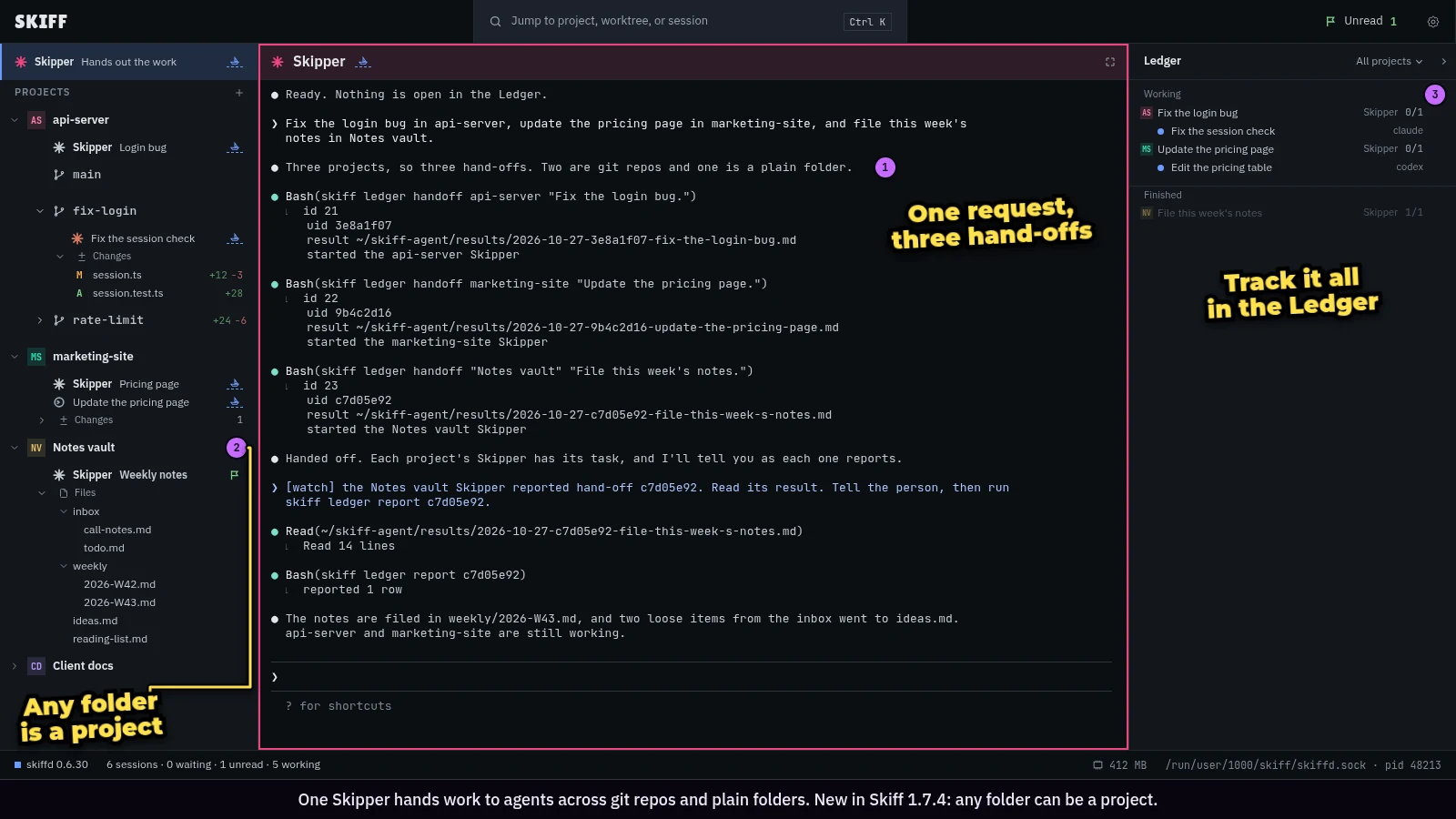
New in 1.7.4: any folder can be a project. One Skipper hands work to agents across git repos and plain folders.
Drop or paste images on any pane, and Skiff types their paths. All sessions share one library. From it you insert, pin or copy the path of an image.
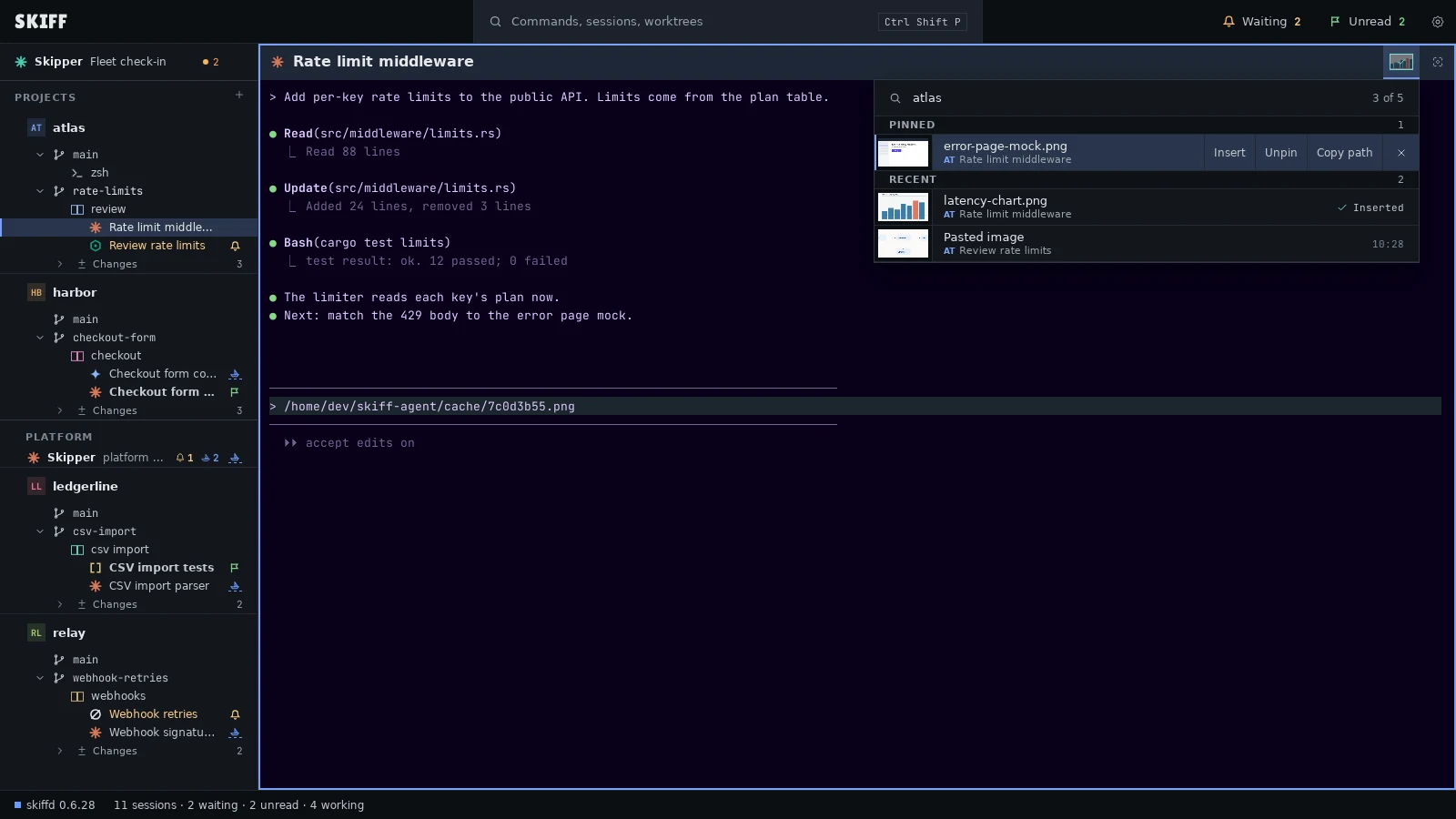
Images. Drop or paste an image on a pane, and Skiff types its path. The library keeps each image. Search it, pin an image or insert its path into a pane.
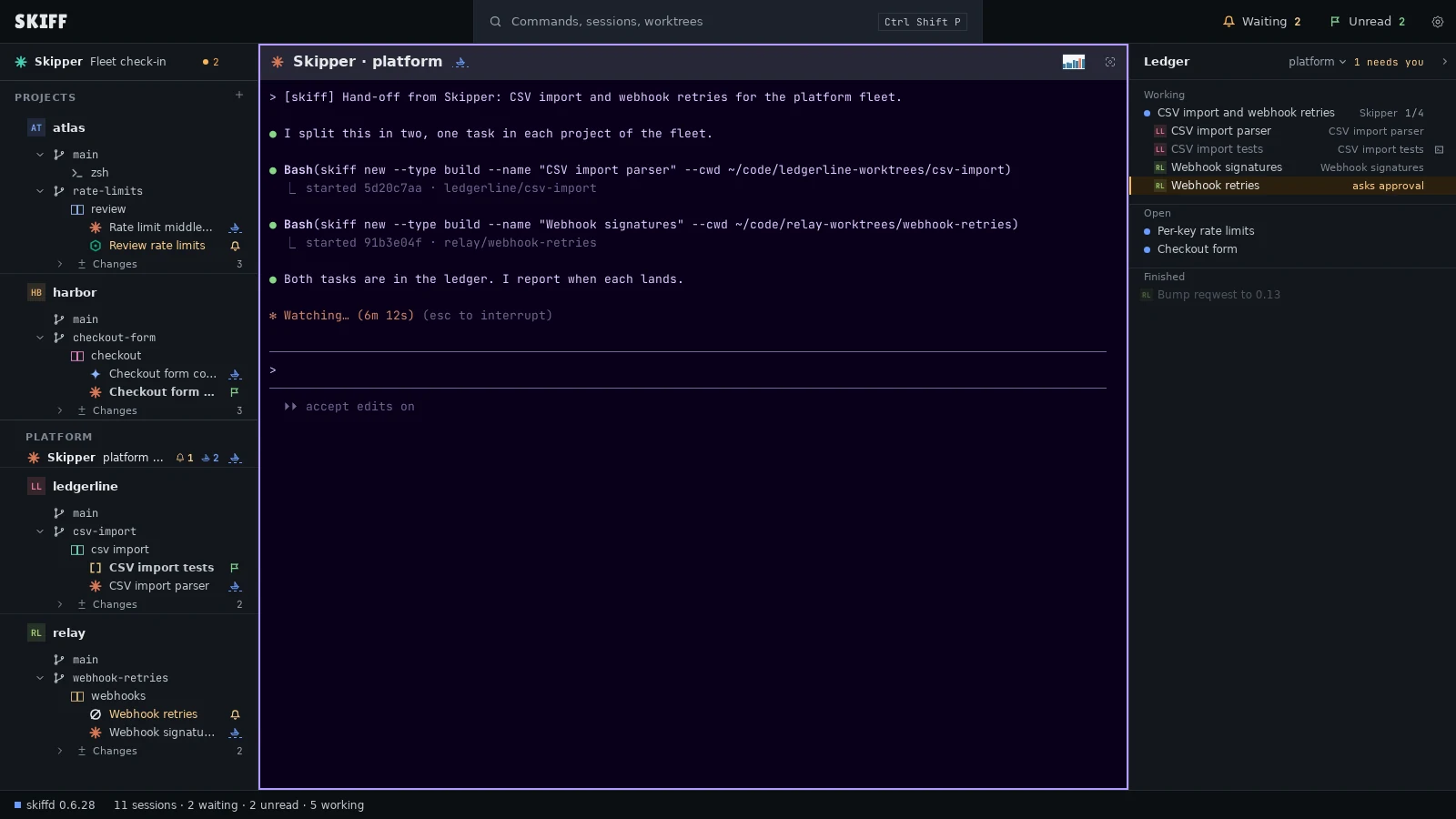
Fleet Skippers. A fleet has its own Skipper for all its projects. Skipper hands it work, and the Ledger shows the tasks in each project.
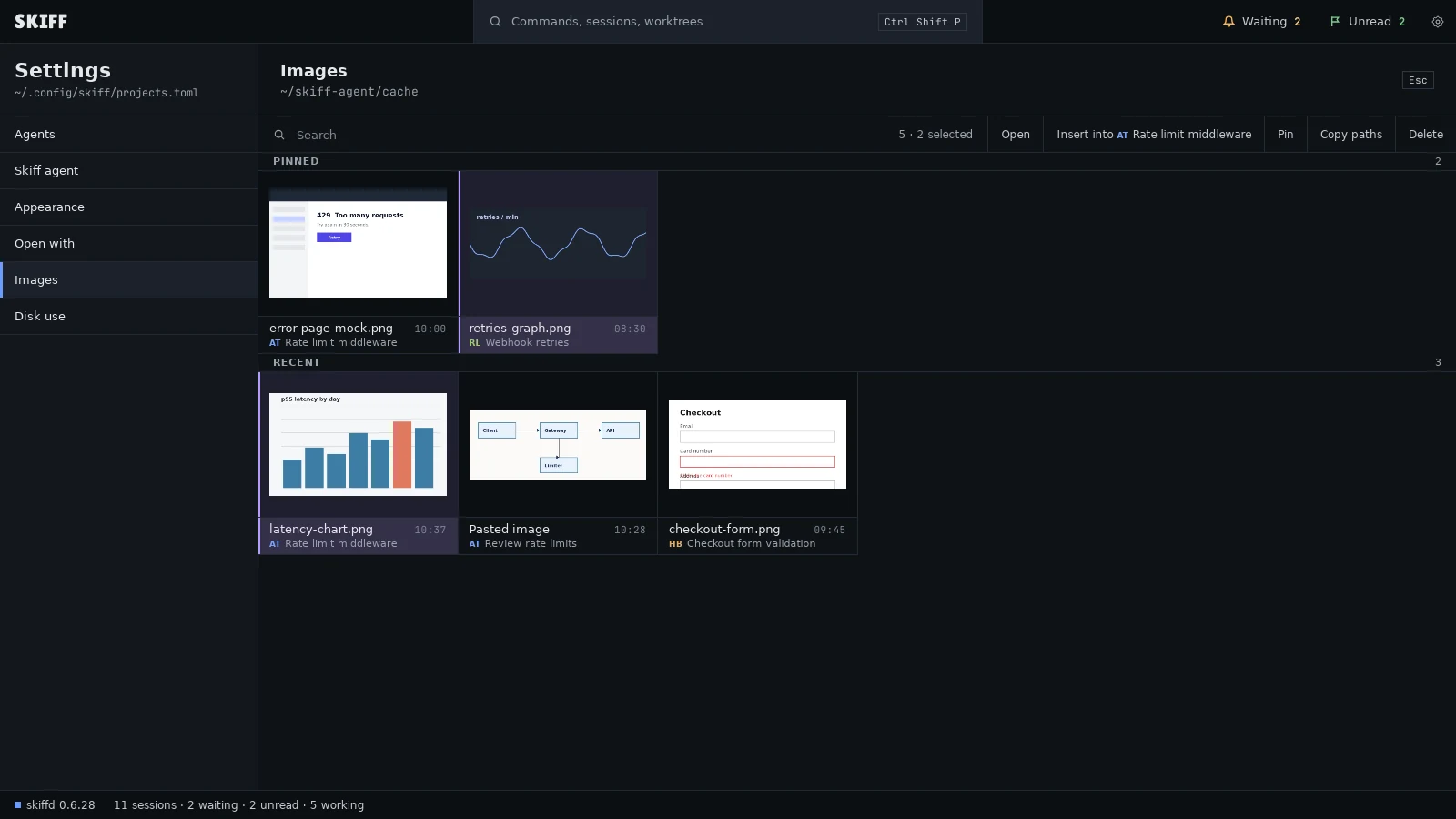
Settings › Images shows all the images. Select one or more, then open, insert, pin, copy or delete them.
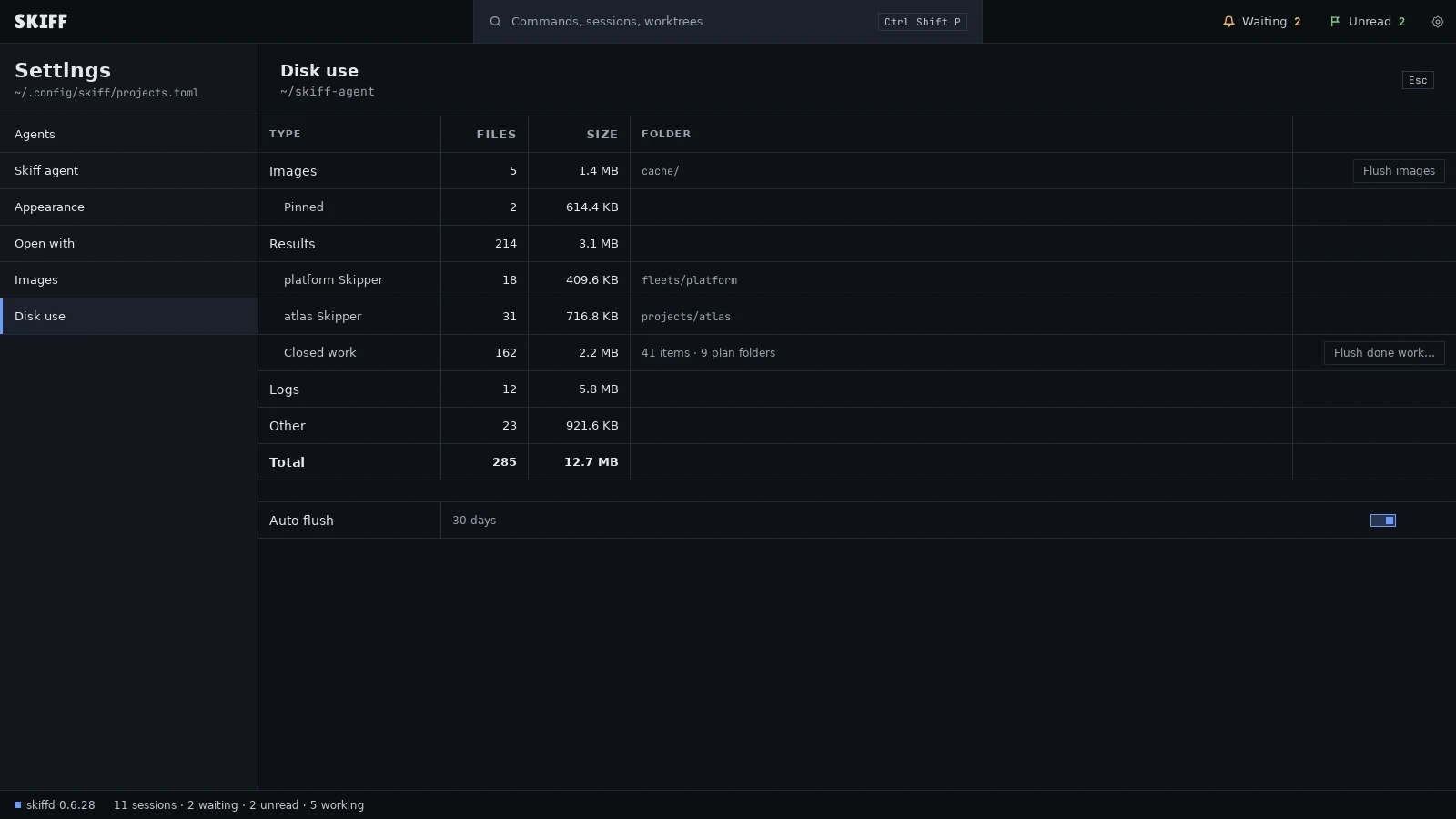
Settings › Disk use counts the files in the Skiff agent's folder. Flush images keeps the pinned images.
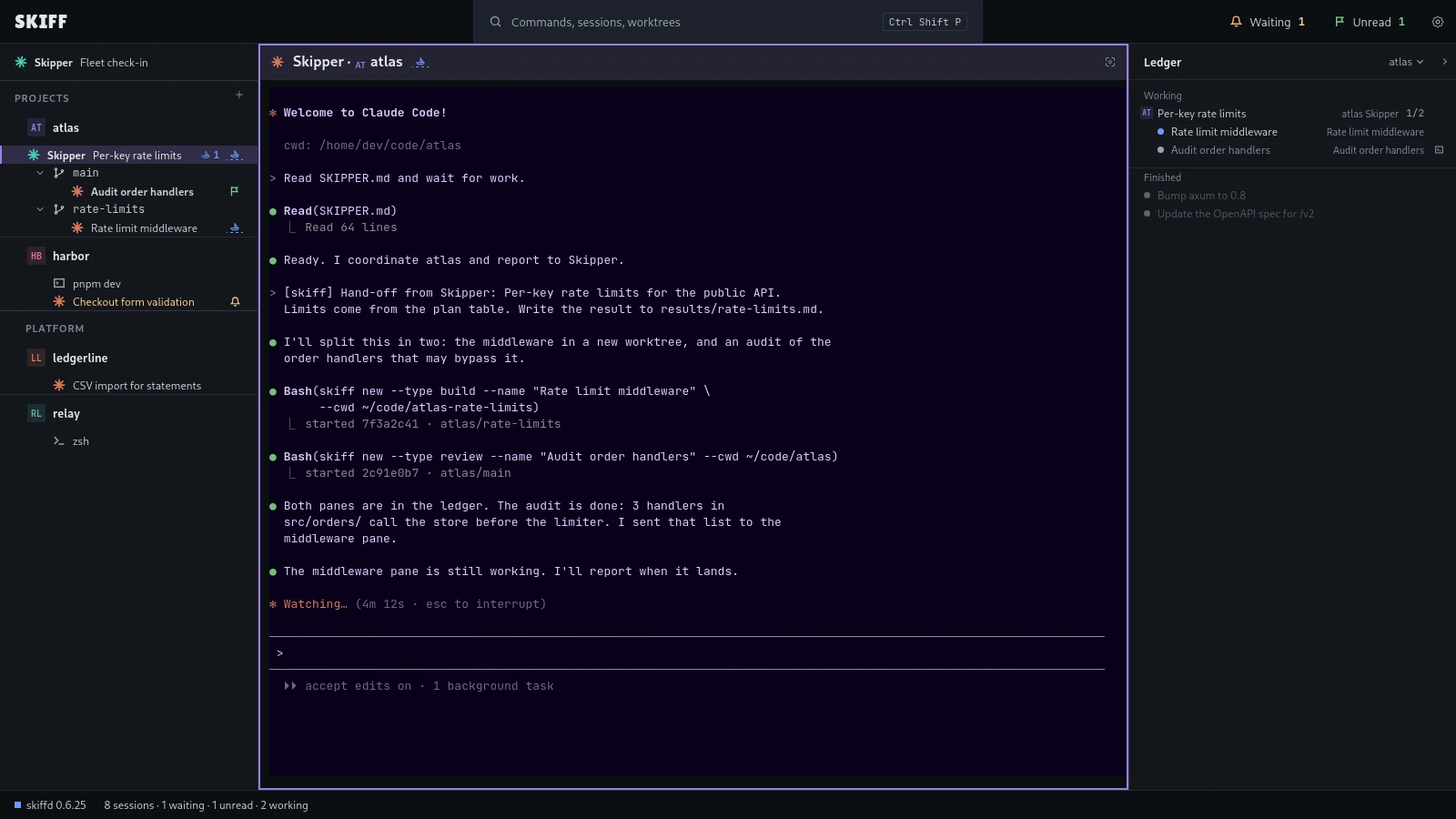
Project Skippers. A project has its own Skipper. The main Skipper hands it work, and the Ledger shows the hand-off and its tasks.
Skiff v2 is in the works. It is not released. In v2 you add a server in Settings › Hosts, and Skiff sets itself up there over SSH. Agents run on the server. You drive them from this computer.
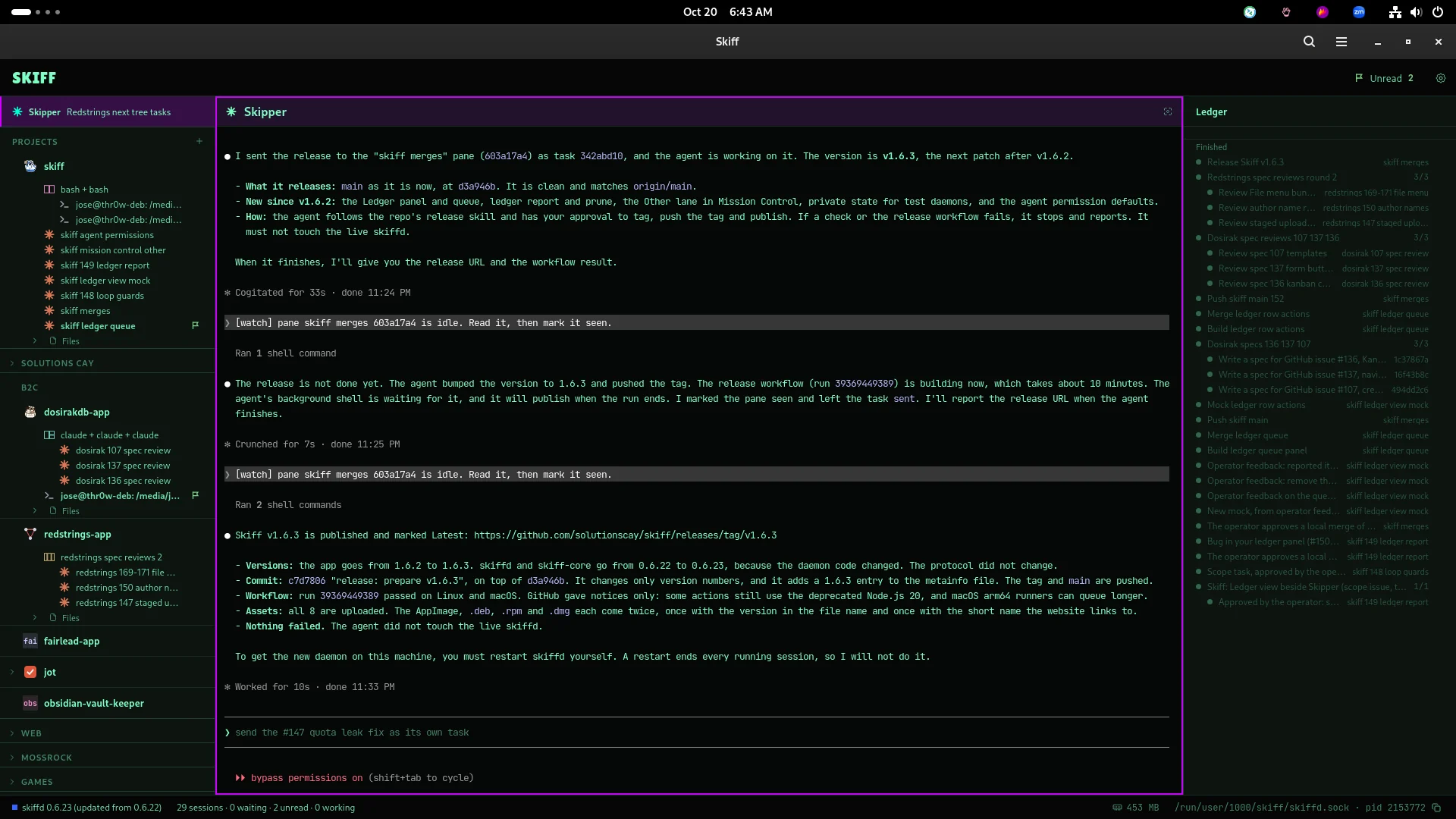
Skipper reports a release. The Ledger panel beside it lists finished tasks and plans.
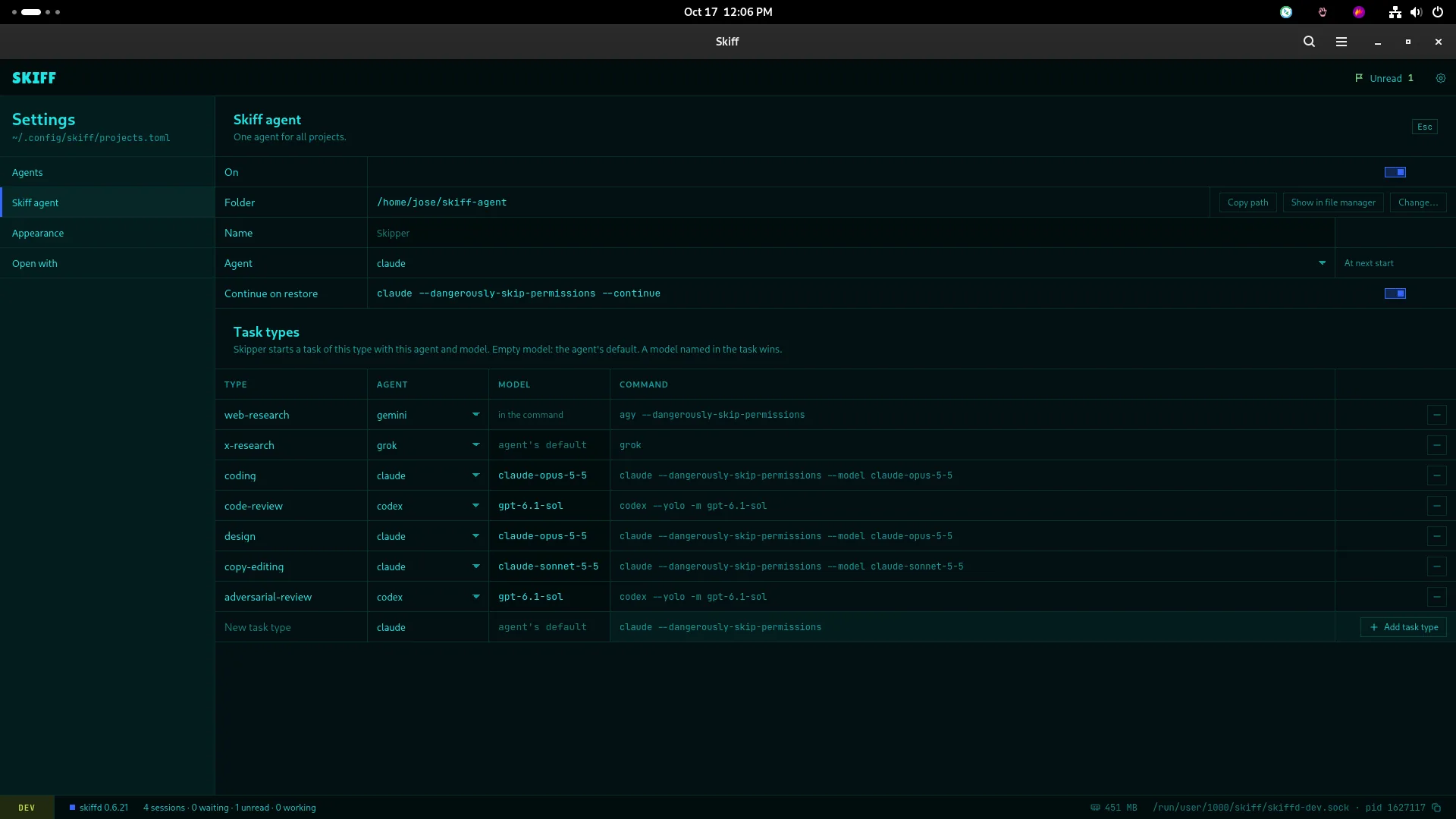
Task types. Skipper starts each type of task with its own agent and model, set in Settings › Skiff agent.
A day with Skipper. It sends each task type to the agent and model for it. Then it works and watches the sessions all day.
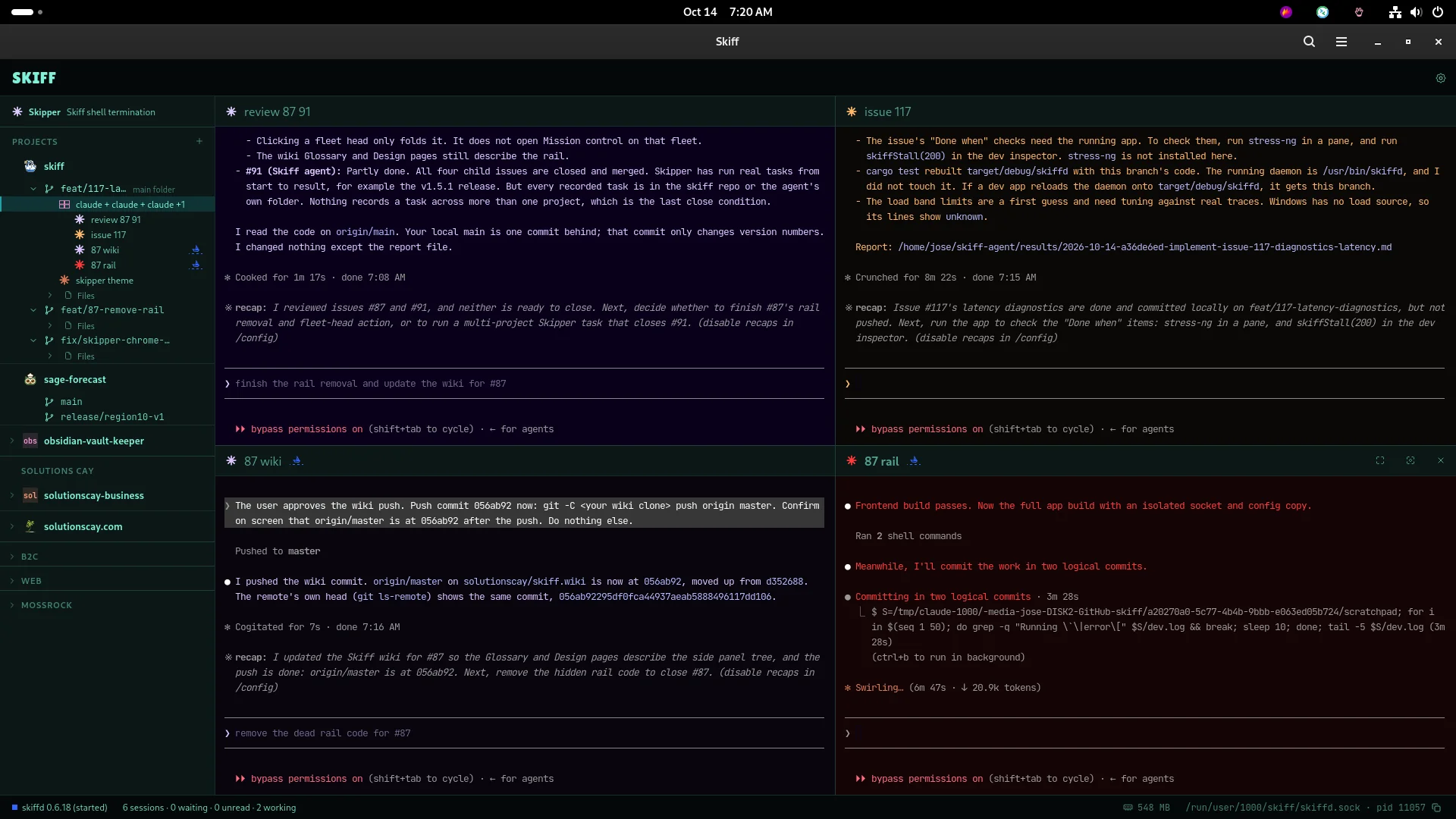
Skipper orchestrating. The Skiff agent sits at the top of the side panel. It started four agent sessions in one group and follows their work.
Mission control. See sessions across projects, search for a session and return to its pane.
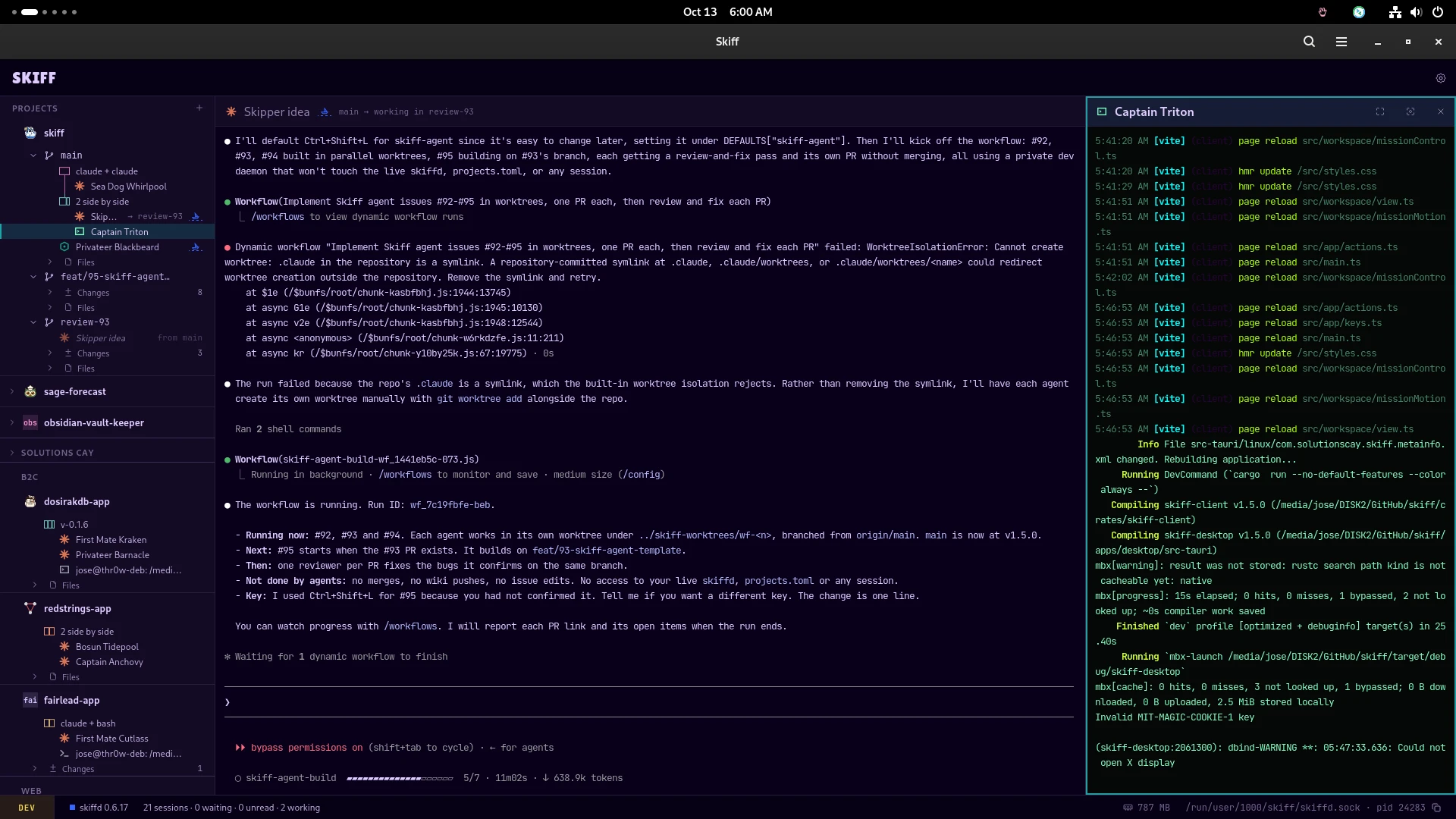
The sidebar redesign, introduced in v1.4.0. Fleets, projects, worktrees, groups and sessions share one tree.
The skiff CLI. Claude Code starts two groups of four agents, gives each pane its own theme and asks them all for a sea shanty.
Start agents, drag them into a split, give sessions their own theme, and go into focus mode.
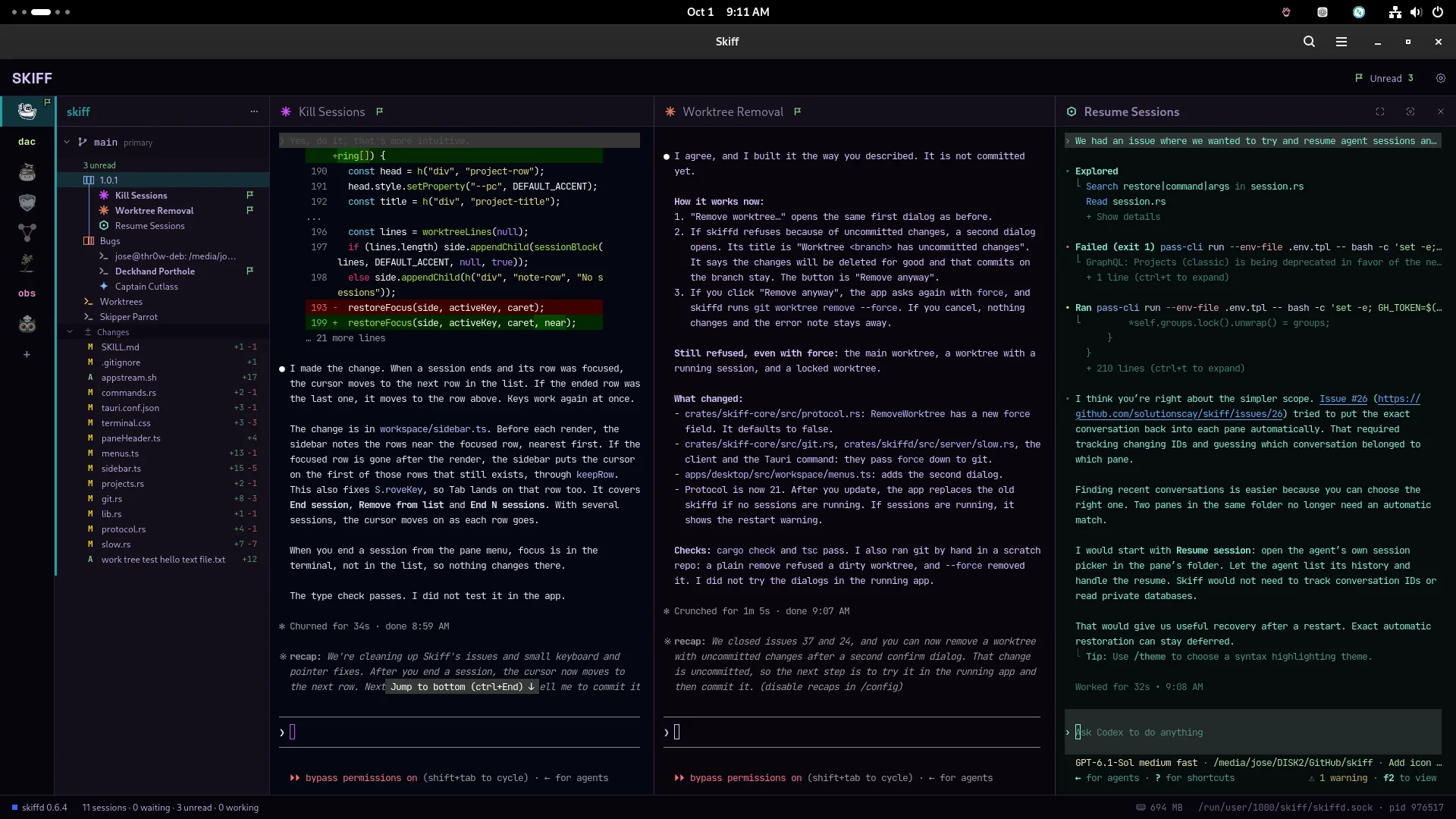
One project, one group, three agents side by side. The flag marks the session that finished.
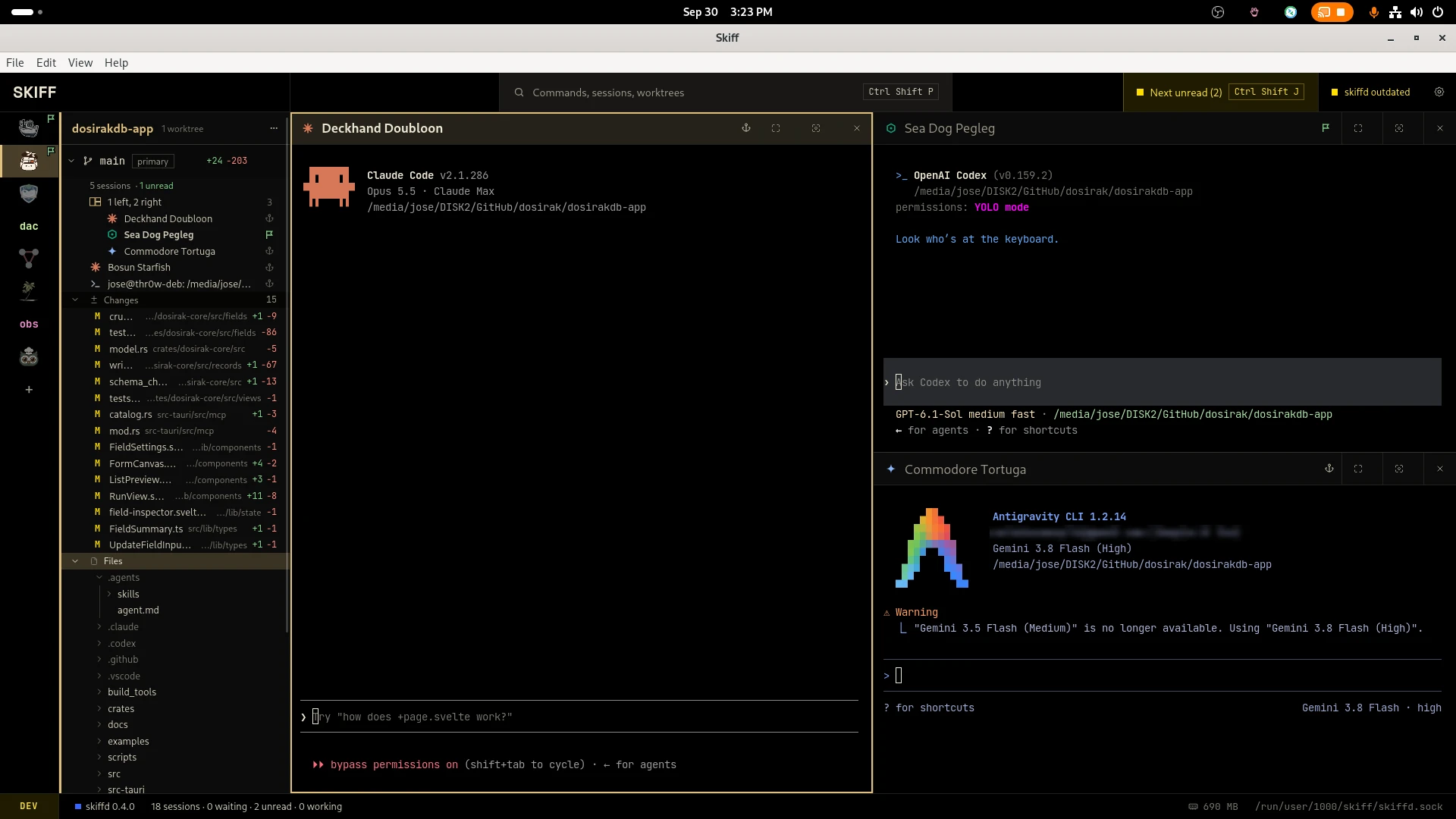
Changed files and the file tree in the sidebar. Claude Code, Codex and Antigravity in a one left, two right group.
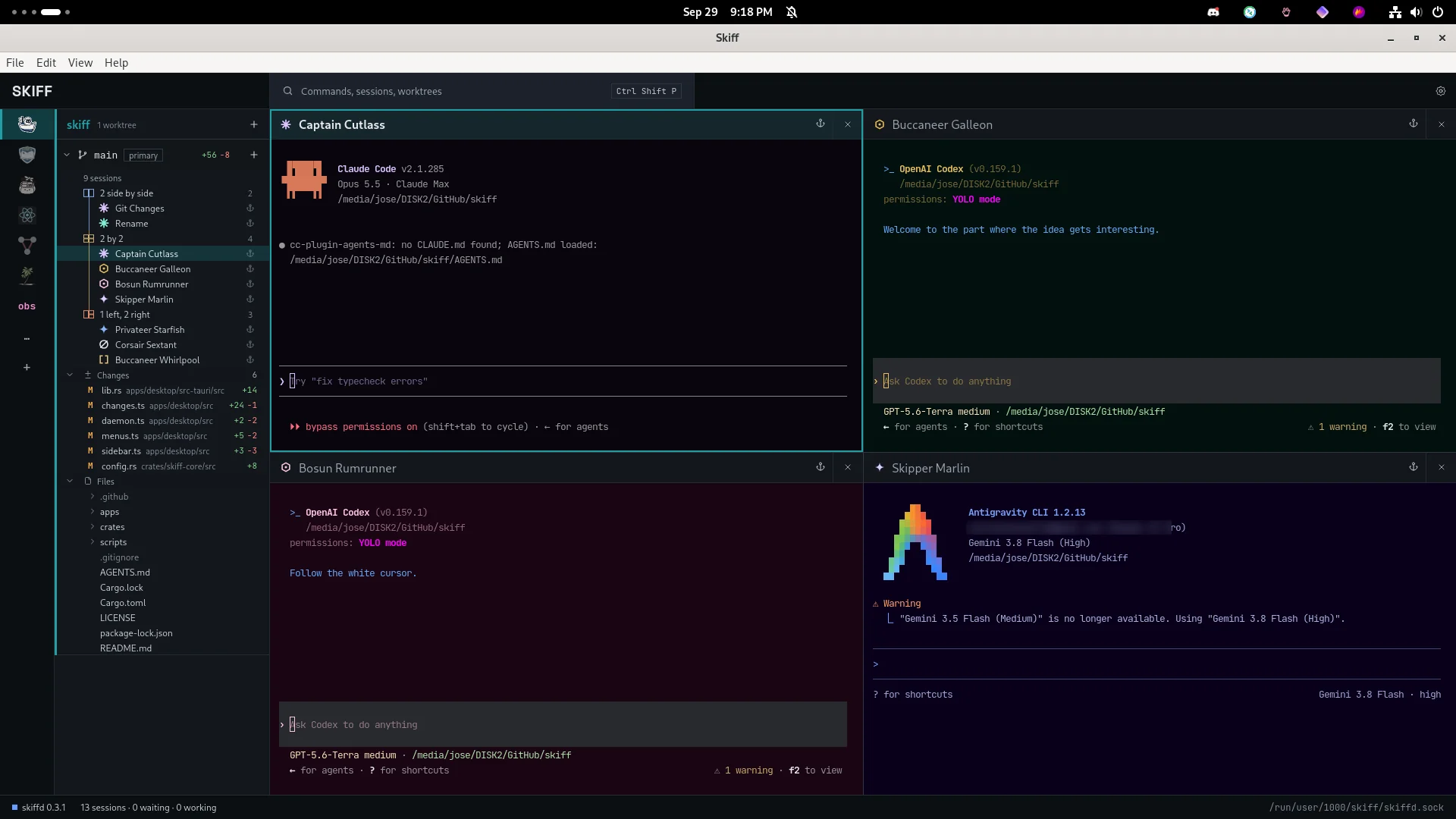
Four agents in a 2 by 2 group, each pane in its own theme.
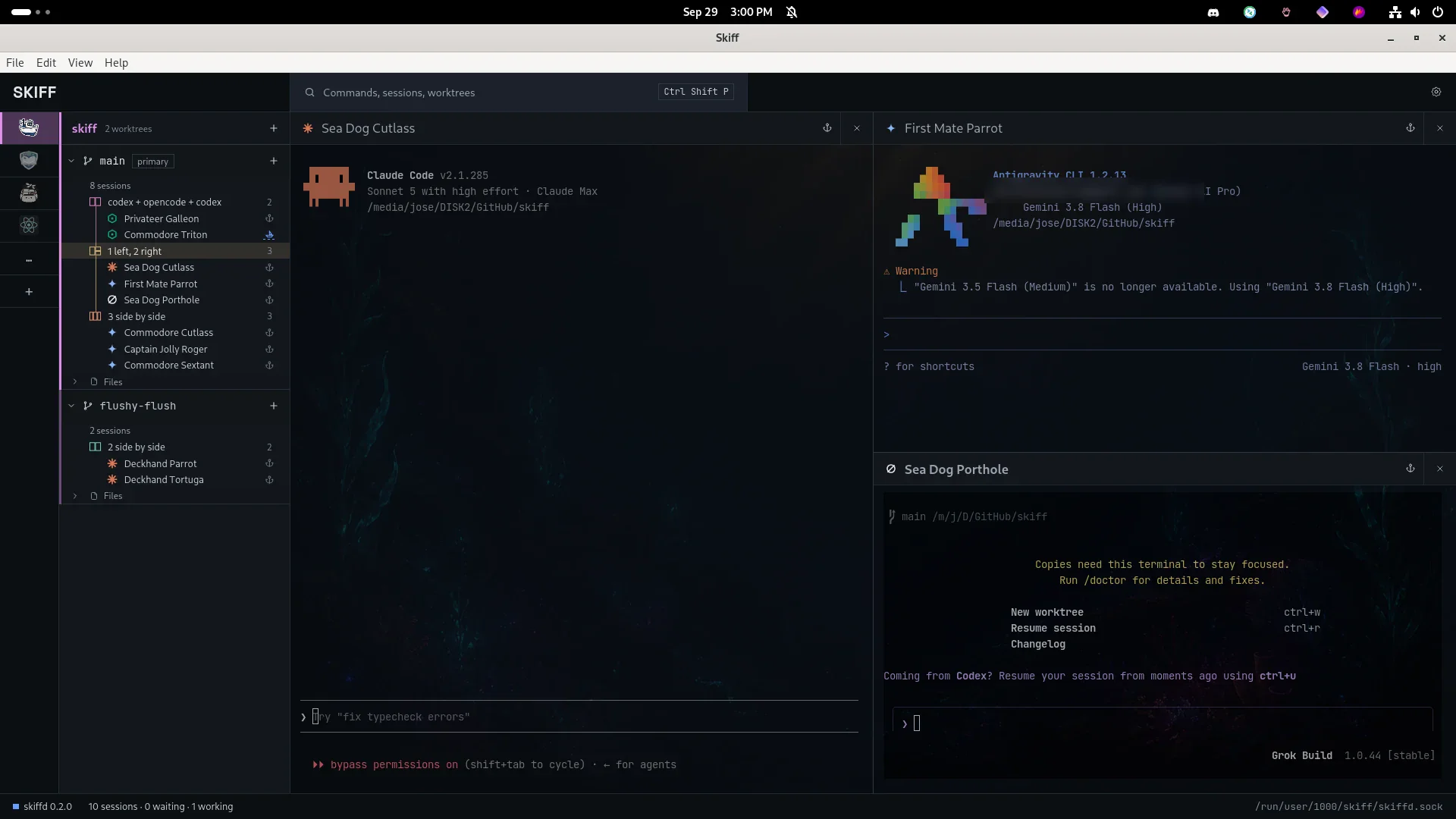
Groups in two worktrees, with Claude Code, Antigravity and Grok over a background image.
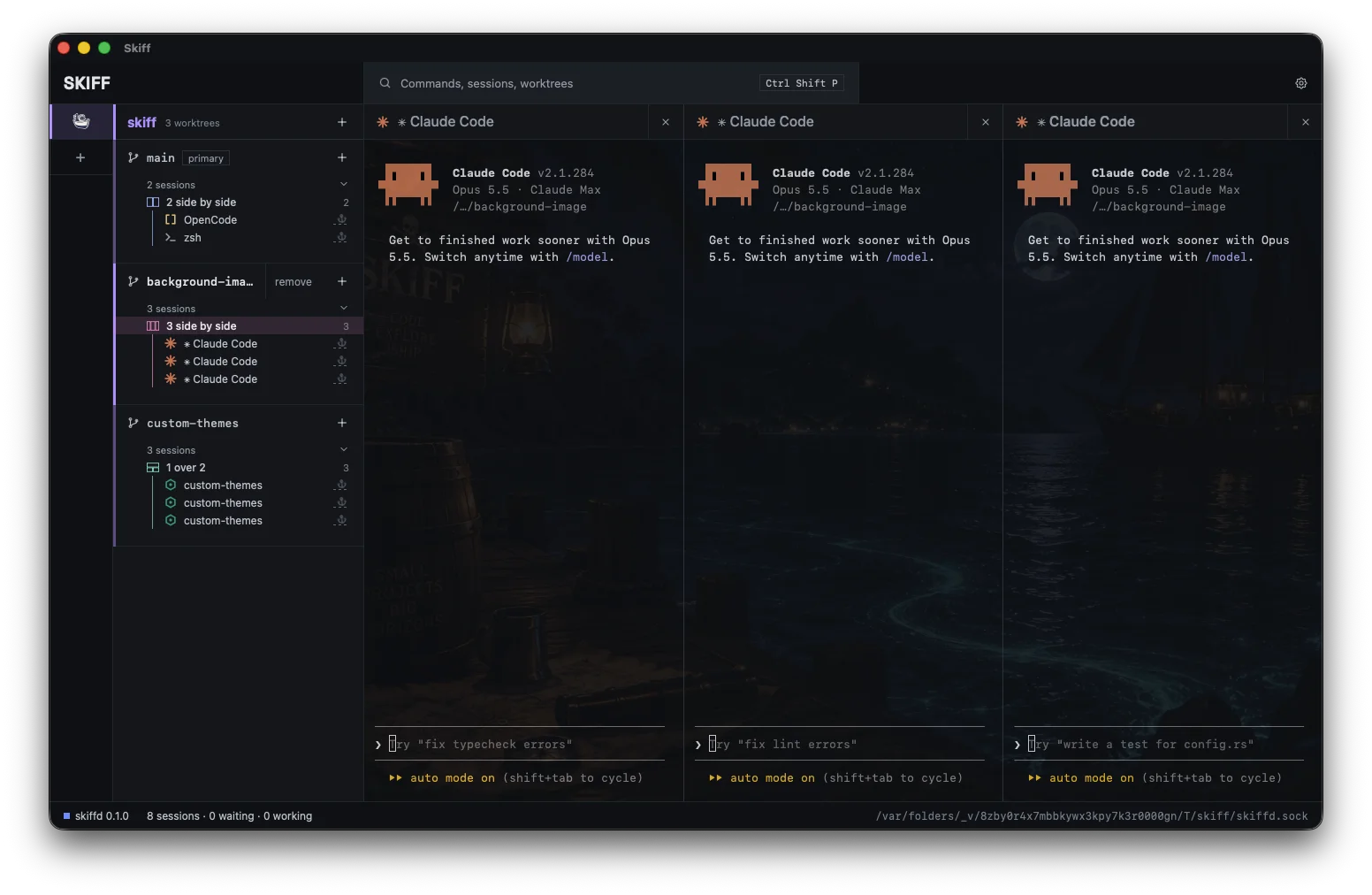
The first build, on macOS. Three Claude Code sessions side by side over a background image.