 Skiff
SkiffOpenCode beside other agents
Put up to four sessions in a named group, from any mix of agents. Try one model on a task while another agent works on the next.
OpenCode runs in a terminal. Skiff is a desktop app for Linux and macOS that runs many terminals at once: OpenCode, Claude Code, Codex or any other command line. Each session sits under the project and Git worktree it works in, and you can see which one needs you.
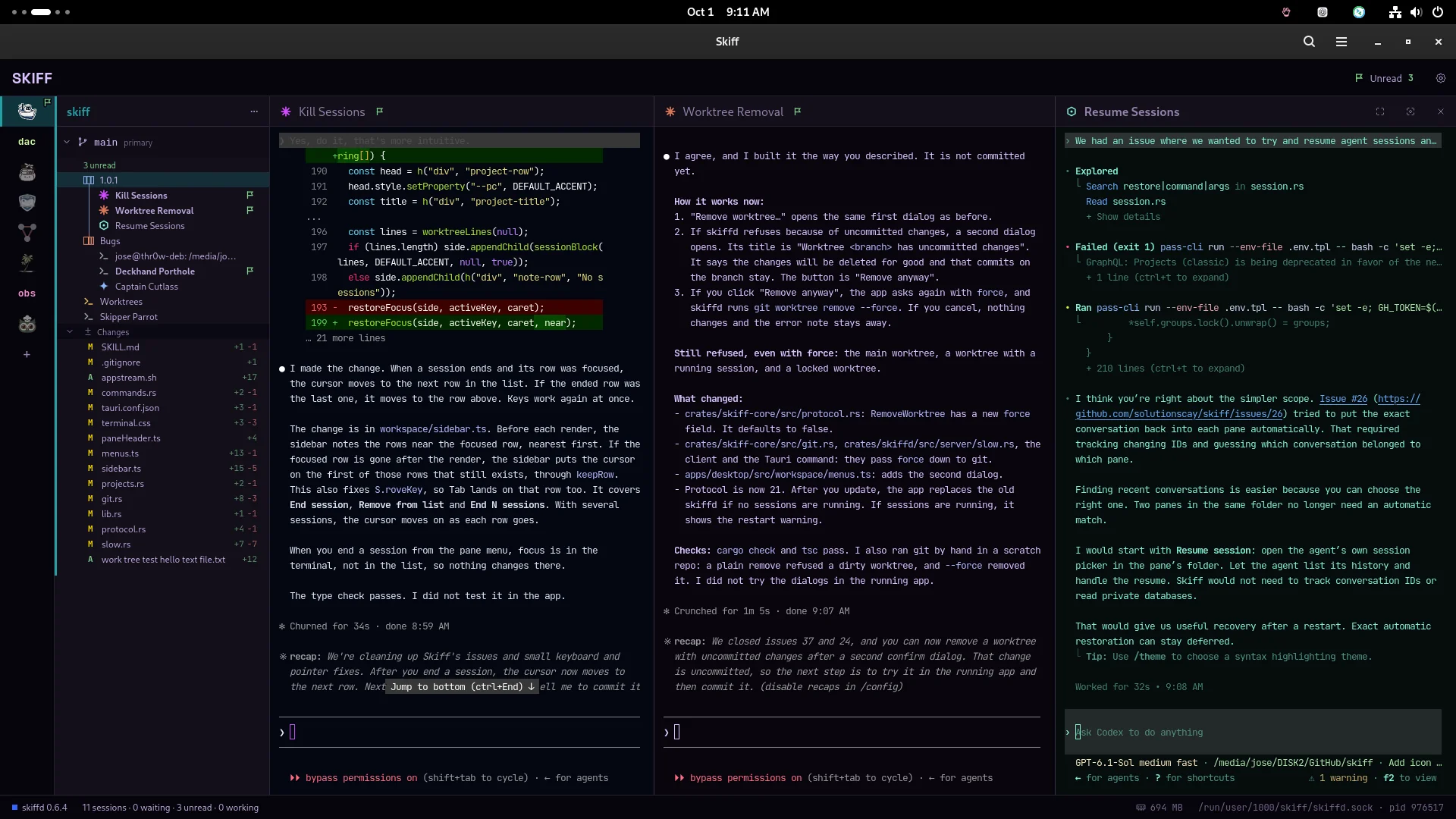
v1.0.0One project, one group, three agents side by side. The flag marks the session that finished.
Skiff starts the opencode command you already have. OpenCode itself does not change.
Put up to four sessions in a named group, from any mix of agents. Try one model on a task while another agent works on the next.
Make Git worktrees in Skiff and start a session in each one, so parallel tasks don't edit the same files.
Skiff reads OpenCode's Allow once and Reject prompt from the screen and rings a bell on that session. A flag means it finished while you were elsewhere.
A daemon, skiffd, owns every terminal. OpenCode keeps going after you close Skiff. Open it again and each terminal shows its last screen.
Each worktree lists the files OpenCode changed. Double-click one to see the diff, or open it in your own editor.
The skiff command lets an agent start more sessions, type into them and wait for them to finish.
Skiff installs no hooks and writes nothing into OpenCode's configuration. OpenCode keeps its own providers, models and keys. Change the command in Settings if you start OpenCode with your own flags.
.deb, .rpm or AppImage) or macOS on Apple Silicon.opencode session in the worktree. Add another agent to the same group when you want a second opinion.You don't type skiff commands yourself. Ask Claude Code or Codex in plain words, from any Skiff terminal:
Open an OpenCode next to me and ask it to write tests for the changed files. Tell me when it's done.
The agent runs the commands, waits for the other session and reports back. It learns how from the skiff-cli skill, a one-time copy into ~/.claude/skills/ for Claude Code or ~/.codex/skills/ for Codex. The app does not install it for you.
skiff new --agent opencode --name oc-tests
skiff group add . oc-tests --split right
skiff wait oc-tests --for idle --timeout 60
skiff send oc-tests "Write tests for the changed files" --enter
skiff wait oc-tests --for any-not-working --timeout 600
skiff peek oc-tests
The full list is on the CLI page.
opencode command you run in a terminal, with the configuration it already has.